There has been significant debate regarding the efficacy of ReFS (Resilient File System) integrity streams and their ability to detect and repair “bit rot” or corrupted data. Specifically, I wanted to see how ReFS behaves when storage is presented in different ways to a Virtual Machine (VM).
To ground this test, I referenced several discussions from the r/DataHoarder community regarding ReFS data integrity:
The Lab Setup
I utilized two Virtual Hard Disks (VHDs) in a mirrored configuration to test how ReFS handles intentional corruption across two different scenarios.
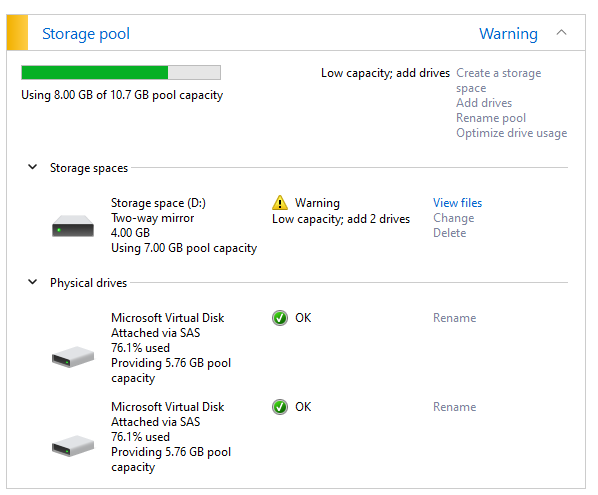
Scenario 1: Mounting VHDs Inside the VM
In this test, the VHDs were managed directly within the guest OS. I intentionally corrupted specific files on alternating disks:
- Disk 1: Corrupted files 1, 3, 5, 7, 9
- Disk 2: Corrupted files 2, 4, 6, 8, 10
The Result: FAILURE. ReFS was unable to correct or even open the corrupted files on the active disk. Attempting to open them caused Notepad to hang, and no errors were surfaced in the logs indicating a successful repair. Even a manual data integrity scan failed to resolve the issue.
Scenario 2: Mounting VHDs Outside the VM (Hyper-V Attached)
I repeated the test, but this time I shut down the VM and corrupted the VHD files from the host level before restarting the VM. This mimics a scenario where the hypervisor handles the virtual disks as physical hardware attachments.
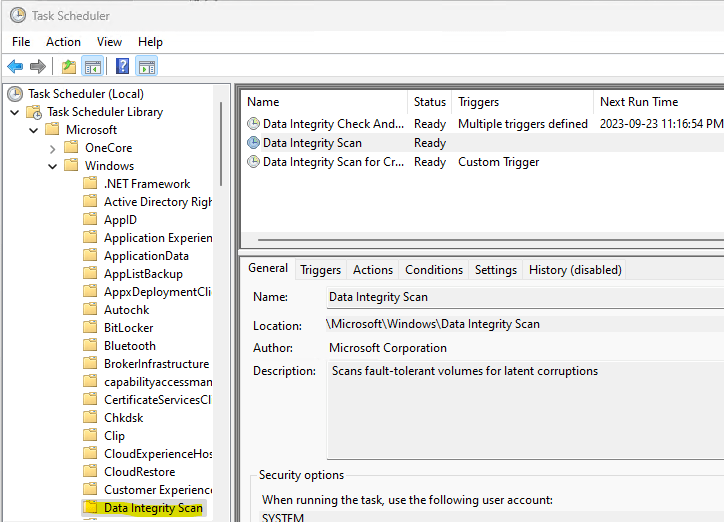
The Result: SUCCESS (With Nuance). Upon booting the VM, all files opened correctly. However, the behavior was interesting: corruption was only logged for half the files initially, suggesting ReFS only “repaired” what was on the active disk at that specific moment. A subsequent Disk Scrub (Data Integrity Scan) caught the remaining corrupted files and successfully repaired them all.
Final Verdict & Conclusion
The method by which storage is presented to ReFS matters significantly for its self-healing capabilities:
ReFS with Hyper-V Attached Disks: Works as intended. The file system successfully identified mismatched checksums and pulled healthy data from the mirror.
ReFS with VHDs Mounted Inside VM: Unreliable. The file system failed to trigger the necessary repairs, leading to application hangs and data unavailability.
If you are relying on ReFS for bit-rot protection in a virtualized environment, ensure your storage architecture allows the file system to interact correctly with the underlying hardware or virtual disk layer.